This blog has moved to the forum

This blog has moved to the forum

New posts from the Ui.Vision team now appear in the Blog category of our forum

Why

This page had no comments and our answers to questions about a post ended up in the forum anyway. Putting the posts where the discussion already happens saves everyone a hop. Every release note, article and announcement is a forum topic you can reply to, and the category is written by the team only, so it stays a blog and not a support queue.

What stays

Everything published here remains online at its current address. Nothing is deleted and no links break.

What is coming

The first two articles in the new place are a measured comparison of the browser automation tools an AI agent can use: Playwright MCP vs Claude in Chrome vs Ui.Vision MCP, and Claude in Chrome vs the OpenAI Codex extension vs Ui.Vision. Both come with the raw numbers and the scripts.
See you in the forum

read more

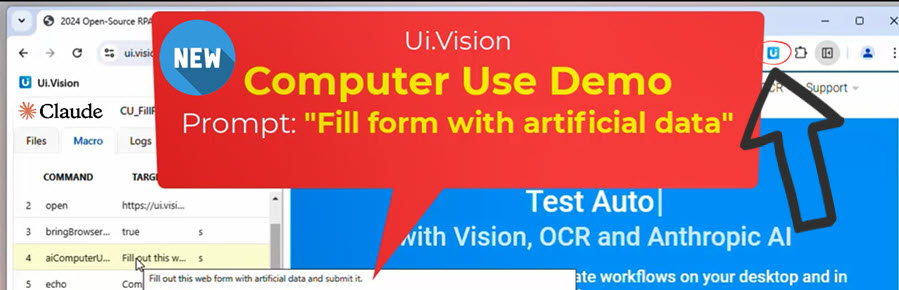
Run Anthropic Computer Use in Your Web Browser

Run Anthropic Computer Use in Your Web Browser

We’ve integrated Anthropic Computer Use into the Ui.Vision browser extension. This gives everyone the option to use/demo Anthropic Computer Use directly in their browser - no Docker required. You only need to install the open-source Ui.Vision browser extension for Chrome, Edge, or Firefox.

Step-by-Step Instructions

  1. Install the Ui.Vision browser extension for Chrome, Edge, or Firefox
  2. Install the XModule native app (available for Windows, Mac, and Linux). This app allows the browser extension to simulate mouse clicks and keyboard typing
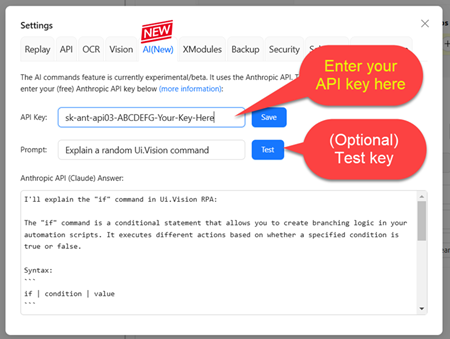
  3. Enter your Anthropic API key into the Ui.Vision extension. That’s all - you’re ready to go!

Computer Use Tutorial

To get started, we recommend trying one of the pre-made Computer Use macros. You’ll find them at the top of the macro list in Ui.Vision. Macros that use Computer Use start with “CU_”.

Computer Use (inside Ui.Vision) playing TicTacToe in the browser:

(Soon:) If you want to have a chat-like conversation with Claude Computer Use, open the sidebar and select the AI tab. Then start prompting.

read more

Anthropic Computer Use – First Impressions, Test and Pricing

Anthropic Computer Use – First Impressions, Test and Pricing

Anthropic just announced an exciting new capability for their AI assistant: Claude computer use, which allows it to interact with your computer by looking at your screen and controlling your mouse and keyboard.

How to use Claude computer use

Using Claude computer use is surprisingly straightforward: the system works by letting Claude see your screen through screenshots and then giving you instructions about what to do next.

Getting started is made easy with the Claude computer use demo, which Anthropic has provided on GitHub. While there isn’t yet an official Claude computer use tutorial, the Docker demo environment is helpful. The Claude computer use Docker setup is the quickest way to begin.

We tested the Anthropic Claude computer use features with tasks like opening a web browser, installing software, and editing computer code. So how good is it?

read more

Tags